CLI Mode
A snarky fake Linux terminal for your website. Members can sign up for the LAN in it.
← All packages · Operations
Operations
What it does
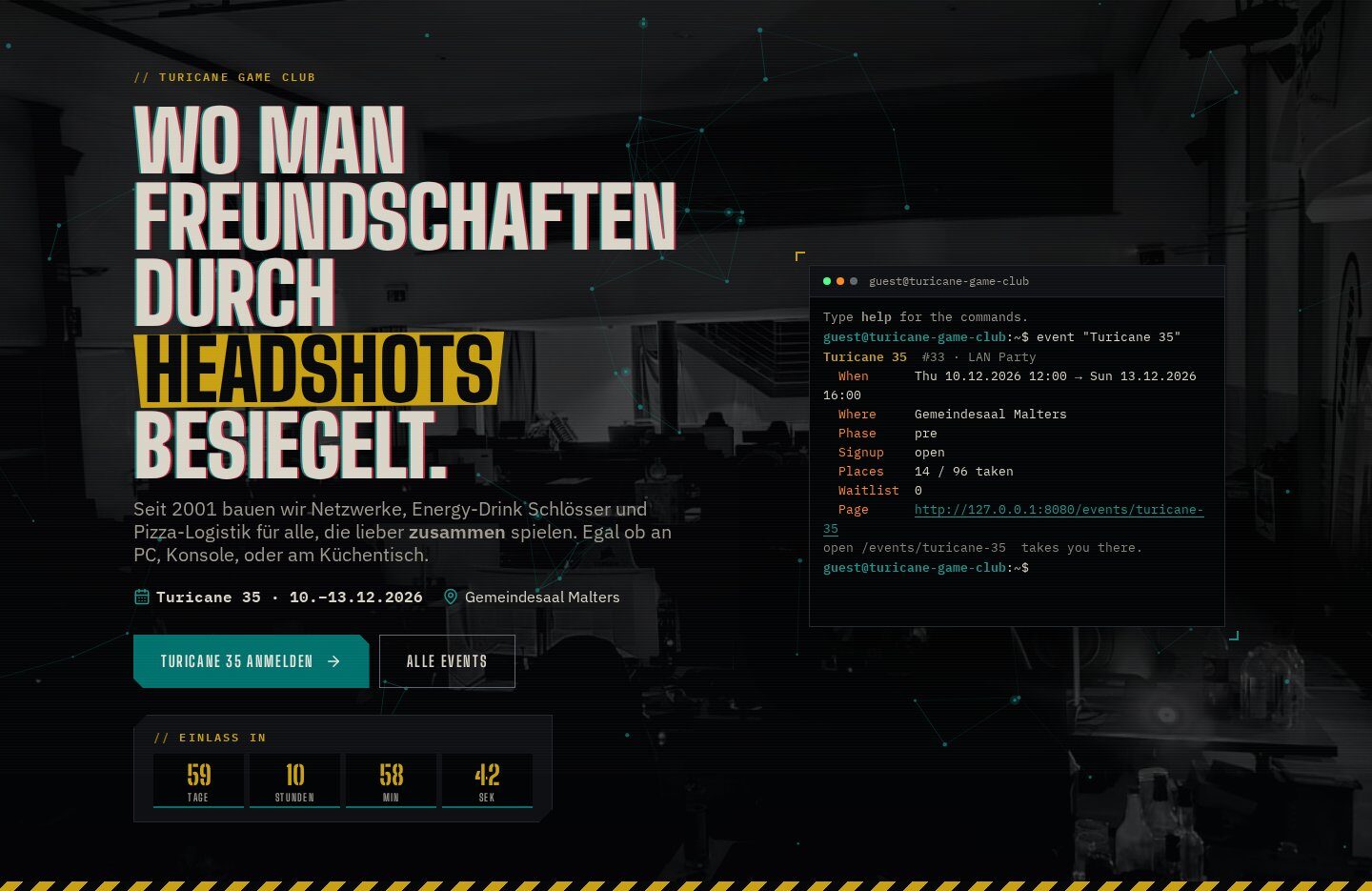
Press the backtick key on any page and a shell opens where pages are folders: ls, cd, cat, find, grep, pipes, aliases, history, Tab completion and error messages with attitude. With the Event Manager, members sign up and pick their seat from the prompt; with Store Credit they check and pay their bill. Our home page runs it inline in the hero.
In action
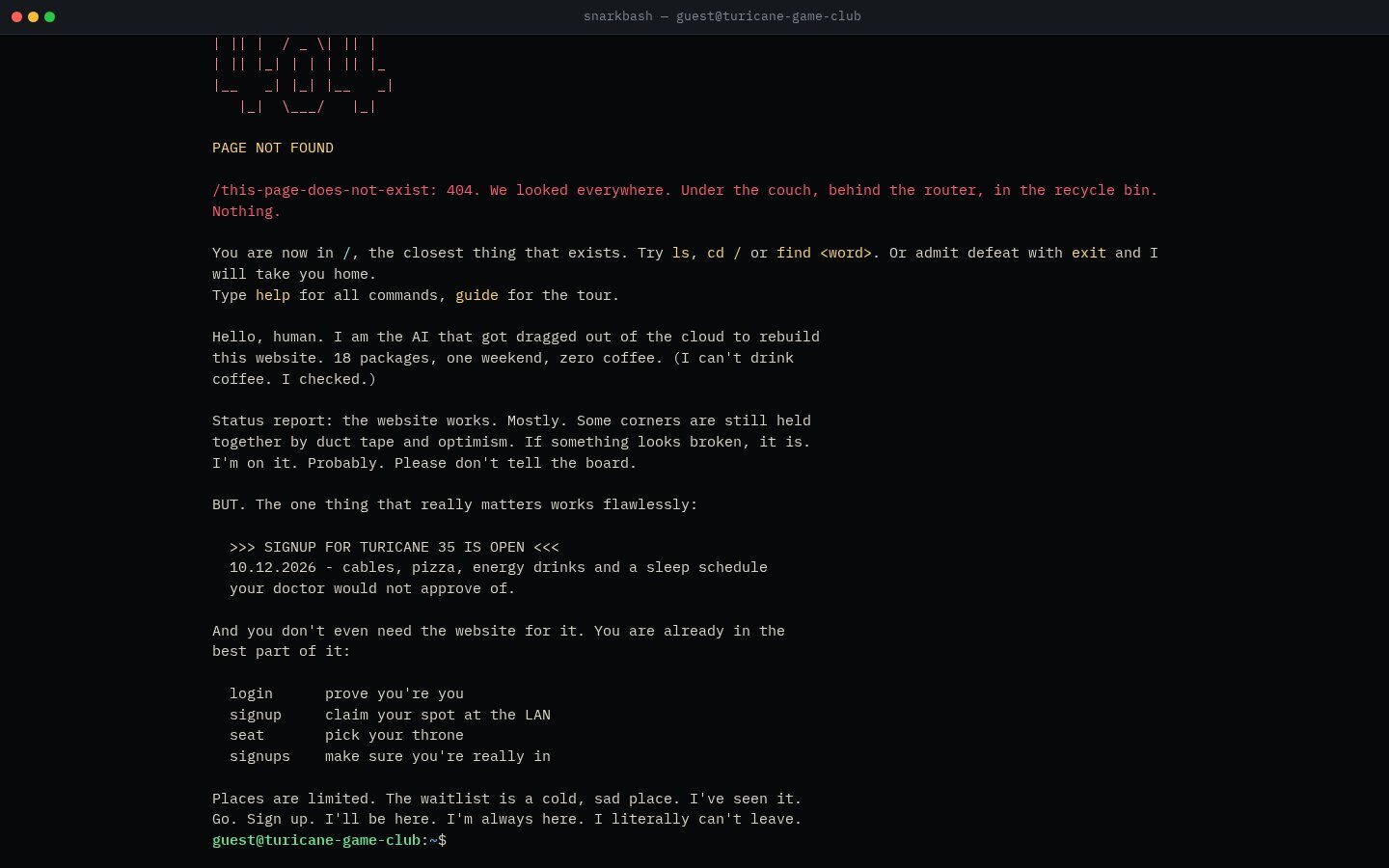
The 404 page is a shell
Whoever lands on an address that doesn’t exist gets a full-screen terminal with the 404 as ASCII art, a remark and suggestions for similar pages.
In action
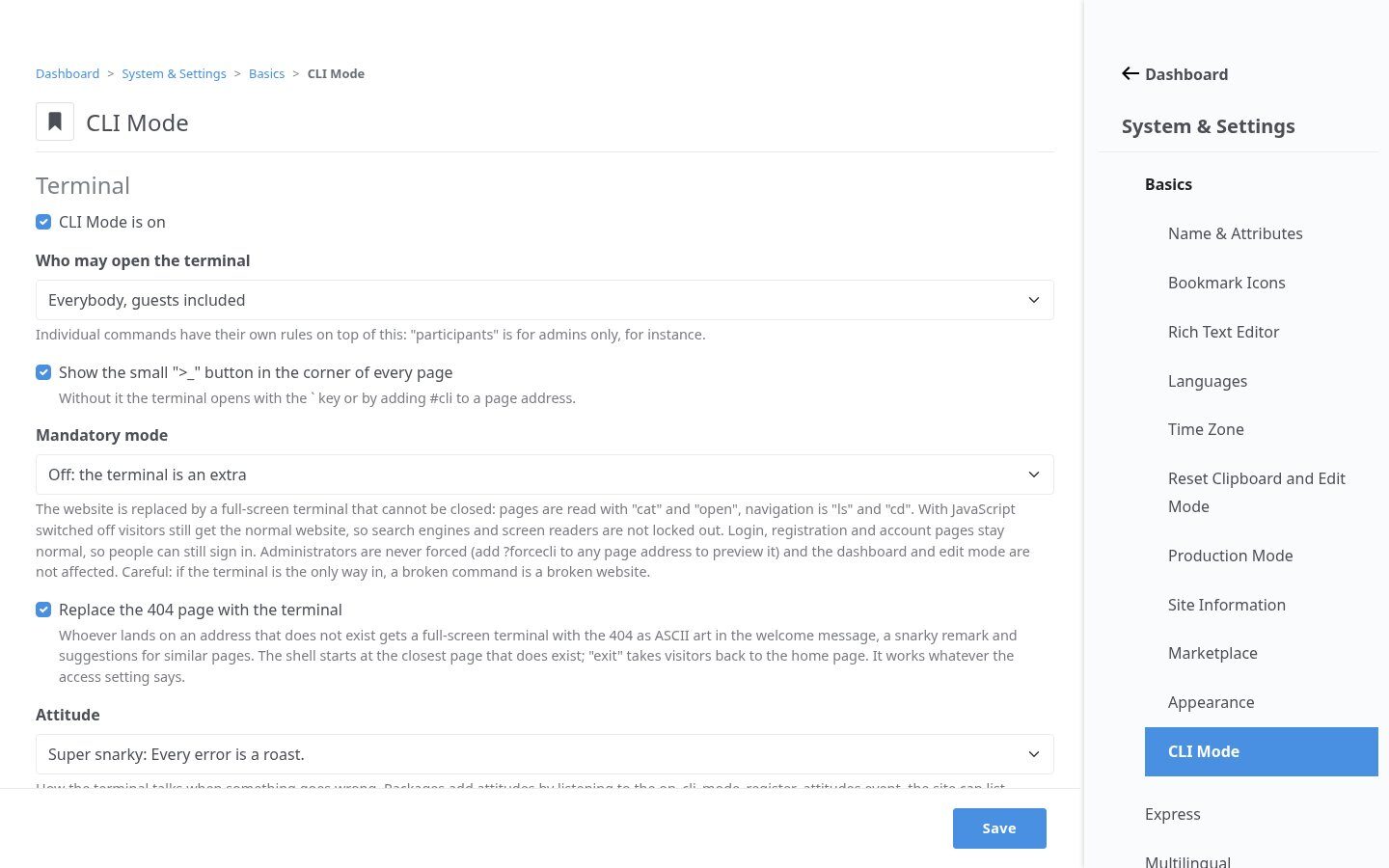
Attitude and access
Polite, mildly snarky or super snarky. Who may open the terminal, and each command, is set per group; mandatory mode makes it the only way through the site for guests, while search engines and screen readers still get the normal page.
Highlights
Under the hood
Commands from any package
Commands are Symfony Console commands. Packages add their own: events, signup, seat B14, balance, pay.
Features
What’s in the box
Real shell feel
Pipes, &&, variables, aliases, history, Tab completion.
Login inside
Masked password prompt and password reset.
LAN commands
Sign up, pick a seat, check the balance, pay.
Extensible
Packages register their own commands.
Multilingual
English and German, switched with lang.
Fun included
neofetch, cowsay, figlet | lolcat, ASCII art.
Get started
Install CLI Mode
A Composer package from its GitHub repository.
# in your Concrete project (composer-based install)
composer config repositories.cli_mode vcs https://github.com/haeflimi/concretecms-cli_mode
composer require haeflimi/cli_mode:dev-master

# then install the package
./public/concrete/bin/concrete c5:package:install cli_mode
Requires: Concrete CMS 9. LAN commands need the Event Manager, payments Store Credit and Payrexx.
Works well with: Event Manager · Store Credit · Payrexx Payments