Shop
What it does
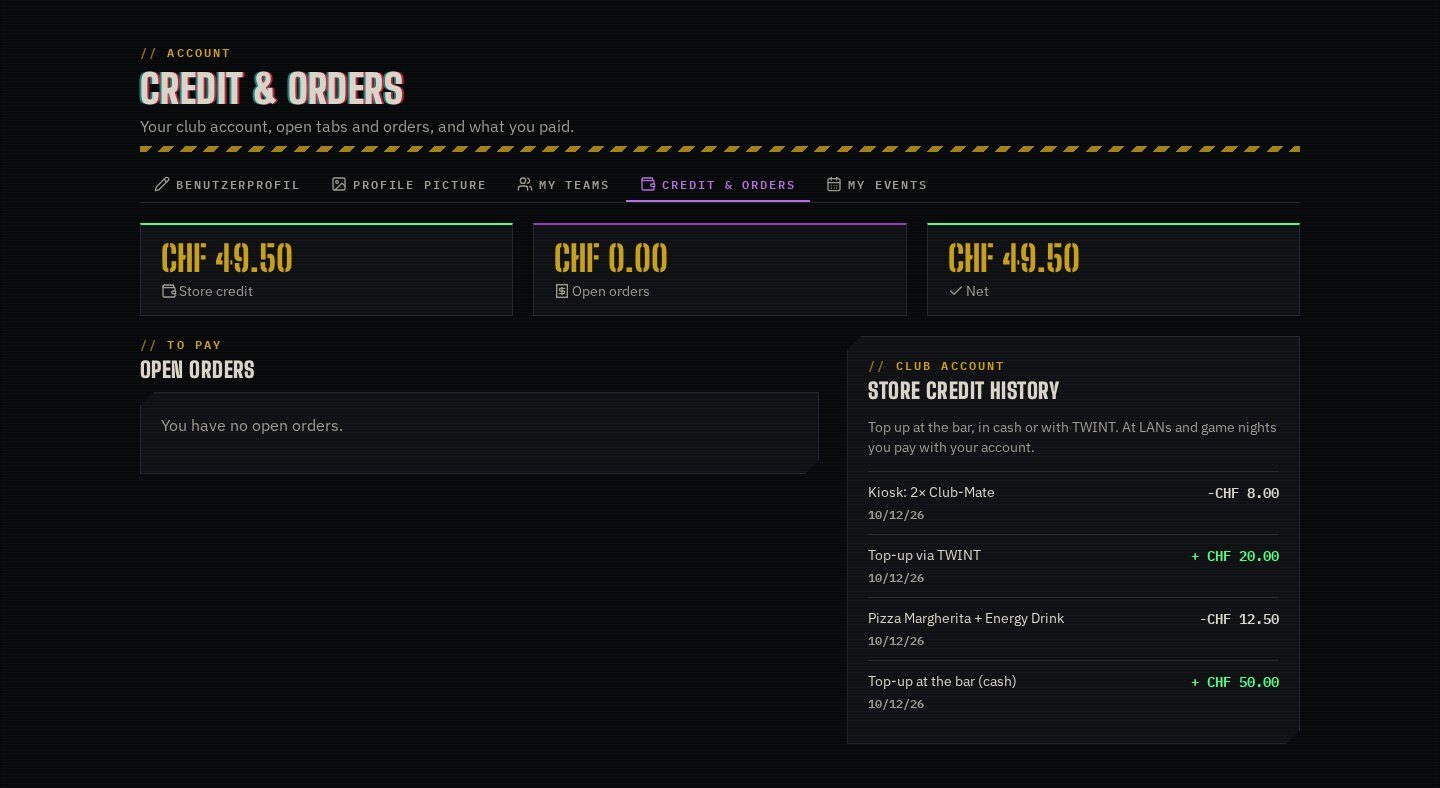
Give members a credit balance they can spend at checkout, top up at the bar and see on their account. An append-only ledger books every top-up, payment and refund exactly once. Admins see each customer’s debt, credit and net balance; members see their open bills and event tabs and pay them online.
Highlights
Under the hood
Credit as payment method
“Store Credit” appears at checkout when the balance covers the order; cancelling the order refunds it. Double submits are charged only once.
Customer overview
Debt from unpaid orders, credit and net per customer, with search, filters, totals and a CSV export, plus the full history per customer.
Pay now
With Payrexx configured, members settle open orders and event tabs online from their account page or the terminal.
Features
What’s in the box
Append-only ledger
Every booking recorded once, by reference.
Checkout payment
Pay orders with store credit.
Manual bookings
Token-protected admin top-ups and corrections.
Customer dashboard
Debt, credit and net with CSV export.
Event tabs
Shows open tabs from the Event Manager.
Online settlement
Payrexx “Pay now” for open bills.
Get started
Install Store Credit
A Composer package from its GitHub repository.
# in your Concrete project (composer-based install)
composer config repositories.store_credit vcs https://github.com/haeflimi/concretecms-community_store_credit
composer require haeflimi/community_store_credit:dev-master

# then install the package
./public/concrete/bin/concrete c5:package:install community_store_credit
Requires: Concrete CMS 9, Community Store.
Works well with: Payrexx Payments · Quick POS · Event Manager · CLI Mode