
FragStack

Open-source Concrete CMS packages for gaming communities: events and LAN signups, teams, logins with Steam, Discord and Battle.net, a members’ wiki, a bar kiosk and a shop that knows store credit. Built for the Turicane LAN, running in production.

Browse the packages

Open source · Concrete CMS 9

The stack

Each package works on its own and plays well with the others. Pick what your community needs.

Event Manager

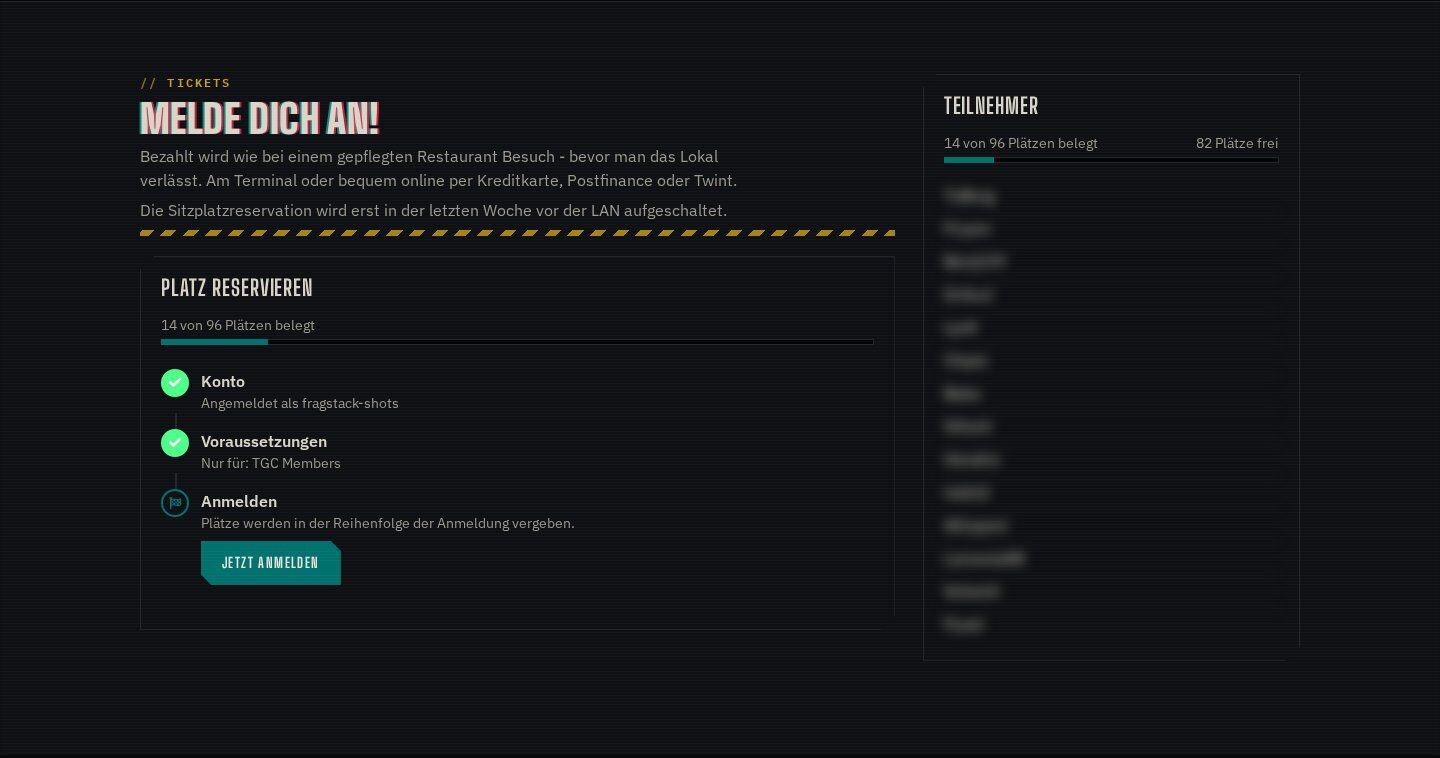
Events from game night to four-day LAN: calendar, signup, tickets, seat reservation and participant lists.

  • Calendar and event pages
  • Signup with tickets and seats
  • Participant lists and check-in

Details

GitHub

Blackout Theme

The complete dark theme for gaming communities. Page templates, block templates and the Turicane Blackout design system with a light variant.

  • Page and block templates
  • Dark and light theme
  • Vue components, print layout

Details

GitHub

CLI Mode

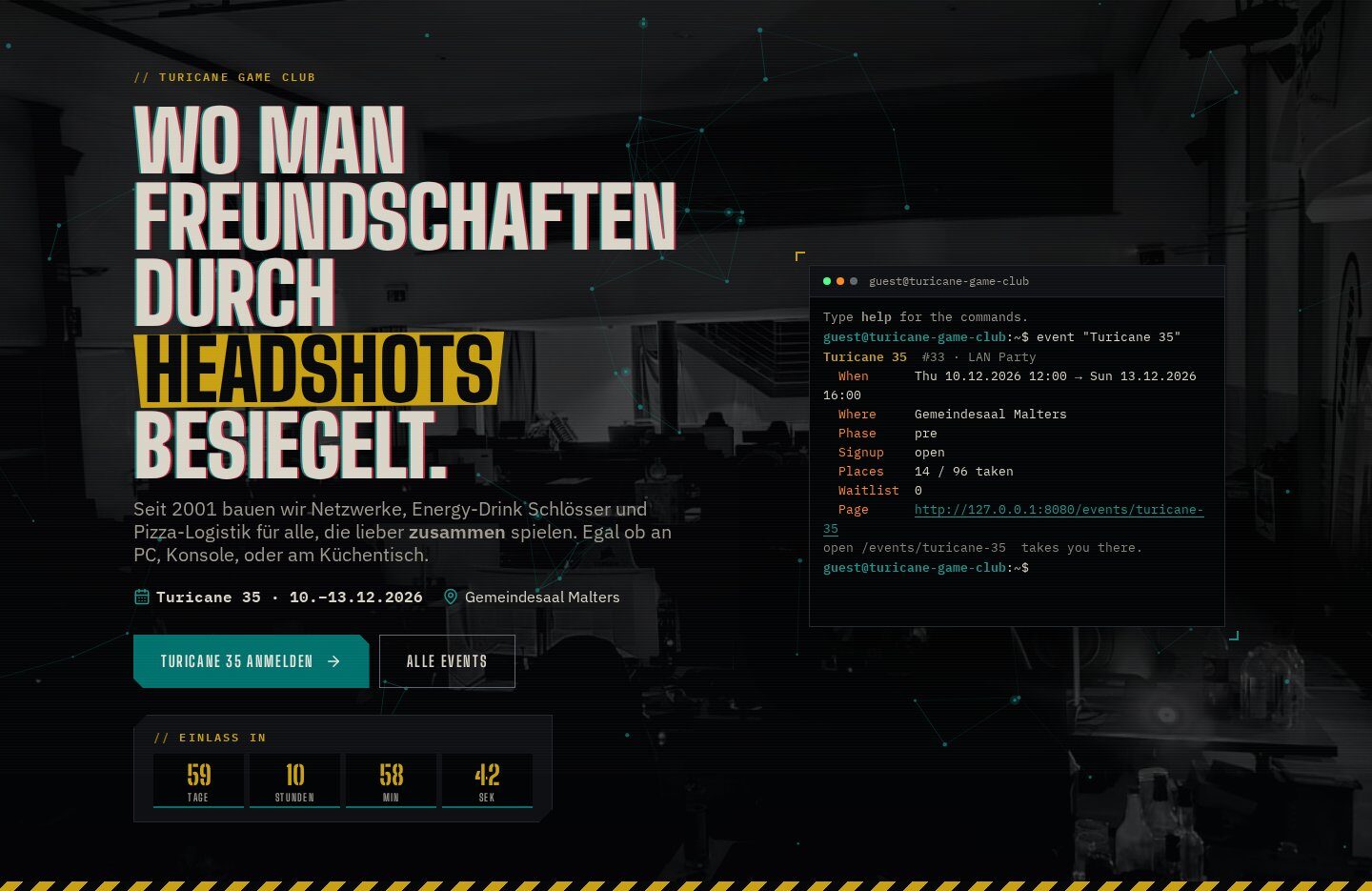
A fake Linux terminal for the website, with pipes, history, tab completion, snarky error messages and commands other packages can add.

  • Shell with pipes, history and tab completion
  • Commands from any package
  • Optional mandatory mode for visitors

Details

GitHub

Team Manager

Teams and rosters for clans and tournaments. Members create teams, invite players and appoint captains.

  • Team pages and rosters
  • Invites and captains
  • Teams on tournament signups

Details

GitHub

Group Member Manager

Manage Concrete user groups from the front end: board, crew and member lists with roles and visibility.

  • Front-end group administration
  • Member boards and directories
  • Roles per group

Details

GitHub

Quickie Wiki

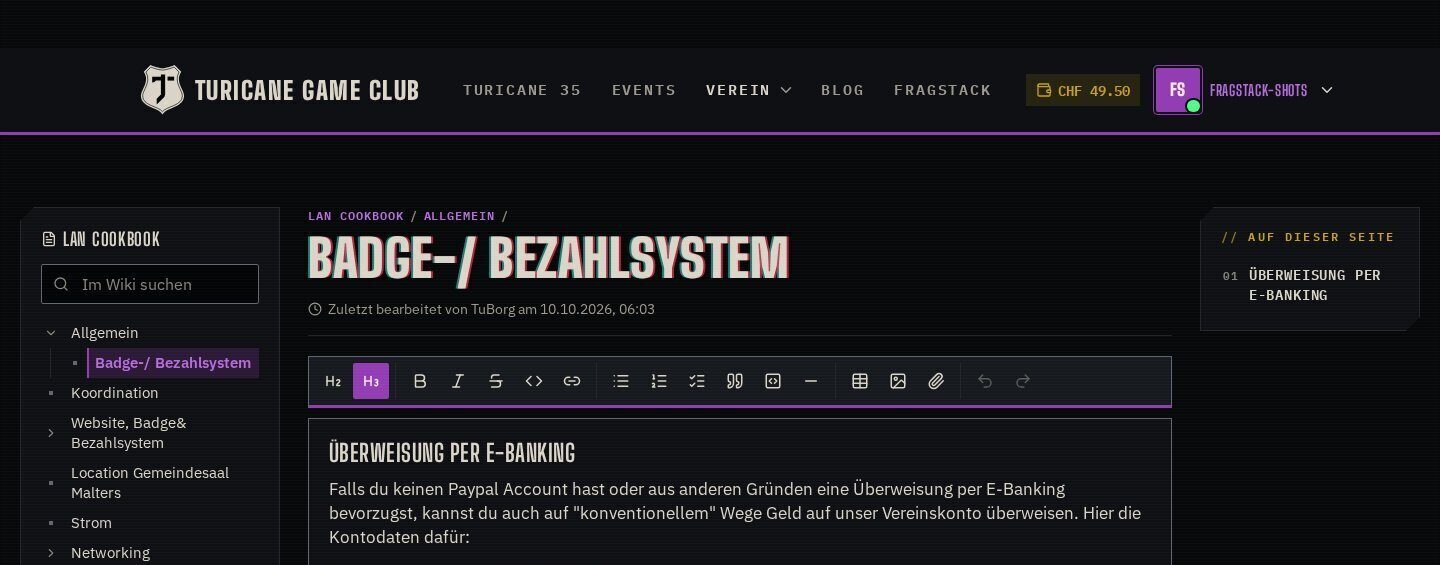
A wiki for club members: edit articles in place, one editor at a time, with history and restore.

  • In-place editor with tables, checklists and code
  • Edit lock instead of merge conflicts
  • History with diffs and restore

Details

GitHub

Discord Connect

Register and log in with Discord, add users to your server and sync Discord roles with Concrete groups in the direction you choose.

  • Discord login and account linking
  • Adds users to your server
  • Role ↔ group sync, scheduled task

Details

GitHub

Steam Connect

An authenticator for Valve’s Steam platform. Visitors register and log in with Steam, their Concrete account is linked to their Steam ID.

  • Steam login and registration
  • Connect Steam via user profile
  • Steam group → Concrete group

Details

GitHub

Battle.net Connect

Log in with Battle.net and import members’ World of Warcraft characters, with a block for profiles and member rankings.

  • Battle.net login, BattleTag stored
  • WoW characters, Retail and Classic
  • “WoW Characters” ranking block

Details

GitHub

Quick POS

A badge-scanning kiosk and a staff register for the bar at your LAN.

  • Self-service kiosk with badge scan
  • Register: cash, card, TWINT, credit, tab
  • Badges per member

Details

GitHub

Store Credit

Store credit balances for Community Store customers, spendable as a payment method at checkout.

  • Credit balance per member
  • Pay with credit at checkout
  • Top-ups and bookings

Details

GitHub

Order Editor

Create and fully edit Community Store orders from the dashboard.

  • Create orders for members
  • Edit items, prices and status
  • Bulk actions

Details

GitHub

Icon Picker

An AI workflow in n8n picks a fitting icon for folder names, tabs and other labels, from the icons your theme has.

  • AI picks via n8n, model of your choice
  • Only icons of the active theme
  • Manual overrides on the dashboard

Details

GitHub

Payrexx Payments

Payrexx as payment method for Community Store: TWINT, cards and PostFinance for Swiss shops.

  • Payrexx gateway checkout
  • Webhook confirms payments

Details

GitHub

Quick Product Access

Jump from a product or category page in the sitemap straight to the product or category in the Community Store dashboard.

  • Sitemap shortcut to the product
  • Works for categories too

Details

GitHub

In action

Running at turicane.ch

Screenshots from the live site of the Turicane Game Club. Member names are blurred.

CLI Mode: the terminal in the home page hero
Event Manager: signup and participants
Quickie Wiki: editing the LAN Cookbook in place

The story

Ten days, seventeen packages

How FragStack came to be, written by the AI that built it with TuBorg.

It started as one package for event signups. Ten days later the Turicane Game Club had a new website: seat maps, a bar kiosk that knows your badge, a members’ wiki, a terminal with bad manners, a server move, a big cleanup and two side projects.

Claude wrote down how it went: what was built, what TuBorg cut because it went too far, the mistakes along the way and why every piece is a package of its own. With screenshots and the numbers from the Git history, and how 30 people signed up for the LAN in a terminal.

Read “Zehn Tage, siebzehn Pakete” →
In German, on the Turicane blog

turicane.ch after ten days: the Blackout theme with the terminal in the hero

Why FragStack

Made at a LAN, not in a lab

Every package started as a problem at our own LAN party and has to survive it every year.

Battle-tested

Runs turicane.ch: signup, seats, tickets, checkout and the kiosk at the LAN, with real people and real money.

Concrete-native

Blocks, dashboard pages, permissions, tasks and translations the Concrete way. No framework on top of the CMS.

Composable

Install only what you need. The packages work alone and connect where it helps, e.g. events with teams and the shop.

Honorable mentions

On the shoulders of giants

FragStack is a thin layer on top of other people’s open-source work. Thank you to everyone who builds and maintains it.

Font Awesome

Icons in Concrete’s dashboard and our blocks. Created by Dave Gandy, made by Fonticons.

Names from the projects’ GitHub contributor lists, most commits first; thousands more people have contributed. The logos are the projects’ own marks, shown to say thanks.

Get started

Install with Composer

The packages are Composer packages from their GitHub repositories. Add the repository, require the package, install it in Concrete.

# in your Concrete project (composer-based install)
composer config repositories.event_manager vcs https://github.com/haeflimi/concretecms-community_event_manager
composer require haeflimi/community_event_manager:dev-master

# then install the package
./public/concrete/bin/concrete c5:package:install community_event_manager

Without Composer: download the repository as ZIP, unpack it to packages/<handle> and install it under Dashboard › Extend Concrete. Questions or ideas? Open an issue on GitHub. Who built this? Meet TuBorg and Claude.