Presentation
What it does
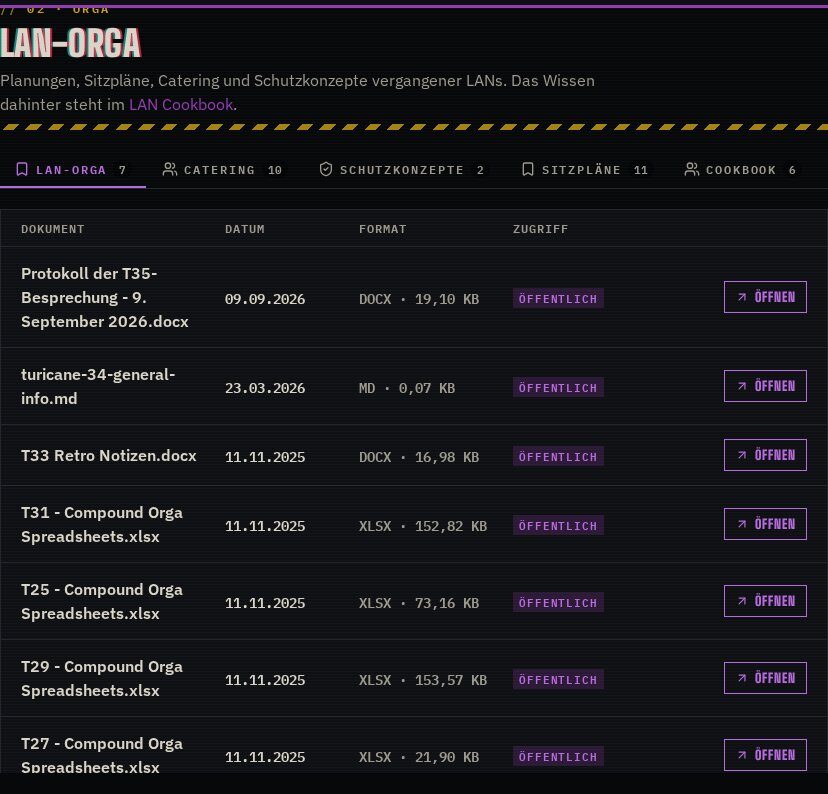
Folder names, tab titles, timetable slots and other labels get a fitting icon, chosen by an AI workflow in n8n. The model and the prompt live in n8n, page rendering never waits for the AI, and only icons the active theme actually has can be picked. Themes without their own icon set get Font Awesome.
In action
n8n does the thinking
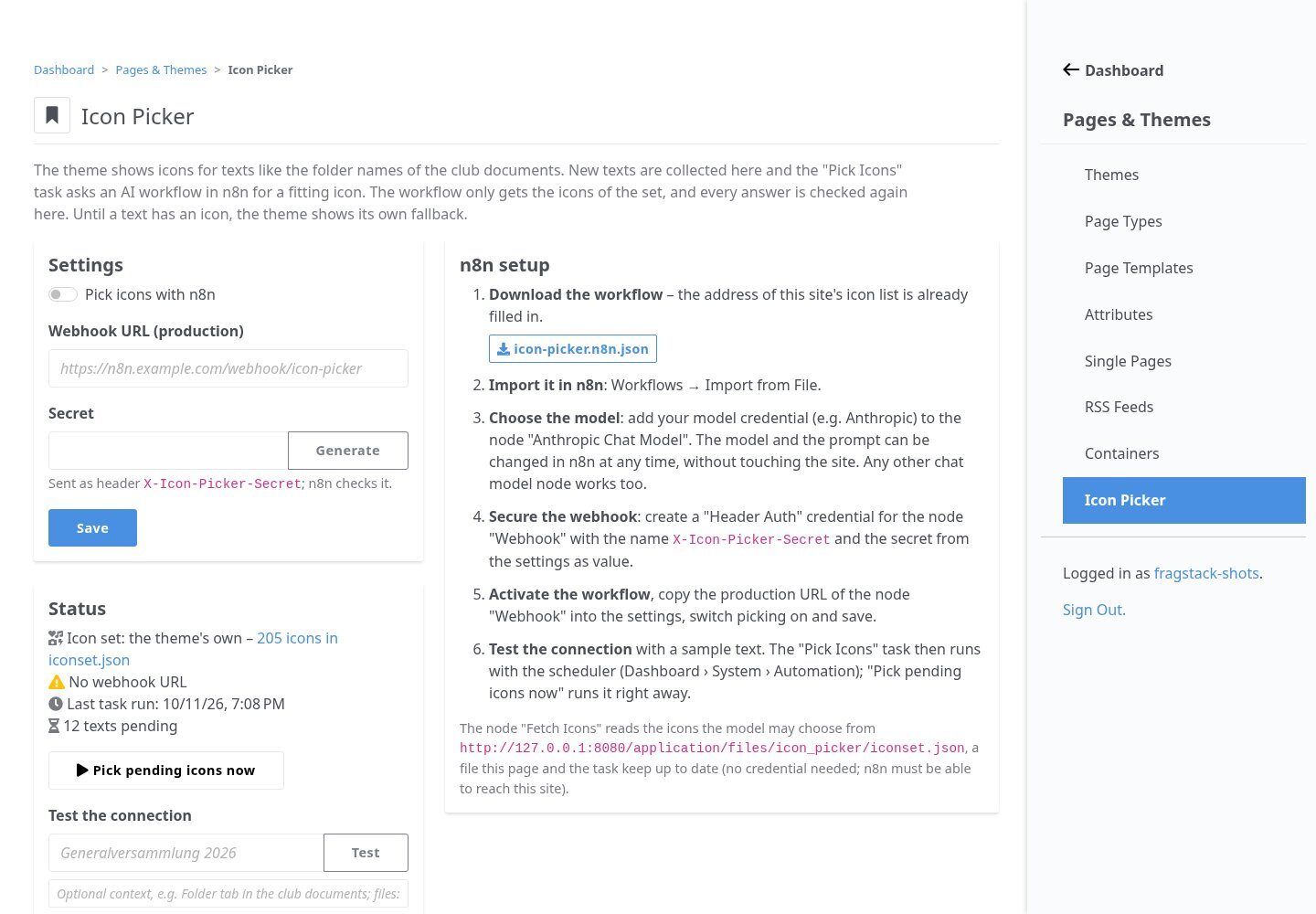
A scheduled task sends new labels to an n8n webhook, where a chat model picks from the theme’s icon list. The ready-to-import workflow downloads from the dashboard with your site already filled in.
Highlights
Under the hood
Theme-aware
Themes describe their icons in PHP and the picker publishes them as a static iconset.json for n8n. Blackout offers 205 curated Lucide icons.
Consistent and overridable
The same text gets the same icon everywhere. Admins set icons by hand, and the task never touches those again.
Features
What’s in the box
n8n workflow
Downloadable and ready to import.
Pending queue
No AI calls while a page renders.
Manual override
Set icons on the dashboard.
Icon set check
Only icons the theme has are stored.
Connection test
Checks the webhook from the dashboard.
Template API
One call: pick($label, $fallback, $context).
Get started
Install Icon Picker
A Composer package from its GitHub repository.
# in your Concrete project (composer-based install)
composer config repositories.icon_picker vcs https://github.com/haeflimi/concretecms-icon_picker
composer require haeflimi/icon_picker:dev-master

# then install the package
./public/concrete/bin/concrete c5:package:install icon_picker
Requires: Concrete CMS 9, an n8n instance with a chat model.
Works well with: Blackout Theme · Event Manager